

In today’s dynamic and complex work environment, balancing internal and external workforce is essential. With the increasing demand for specialized skills and seasonal work, businesses must scale teams efficiently without incurring the long-term costs of full-time employees. This became even more evident after COVID-19, when many companies faced layoffs and struggled to maintain large teams.
However, as reliance on external workers grows, so does government scrutiny to ensure that these relationships don’t evolve into employment misclassification. While there’s no universal time limit to define this, regulations and internal company policies vary by region and business.
From my experience as a consultant, I’ve noticed that few companies leverage SAP Fieldglass effectively to control tenure. This article aims to clarify how to implement and use Tenure Policies to your advantage.
Activating Tenure Policies
Before activating the Tenure Policy functionality, two foundational configurations are required:
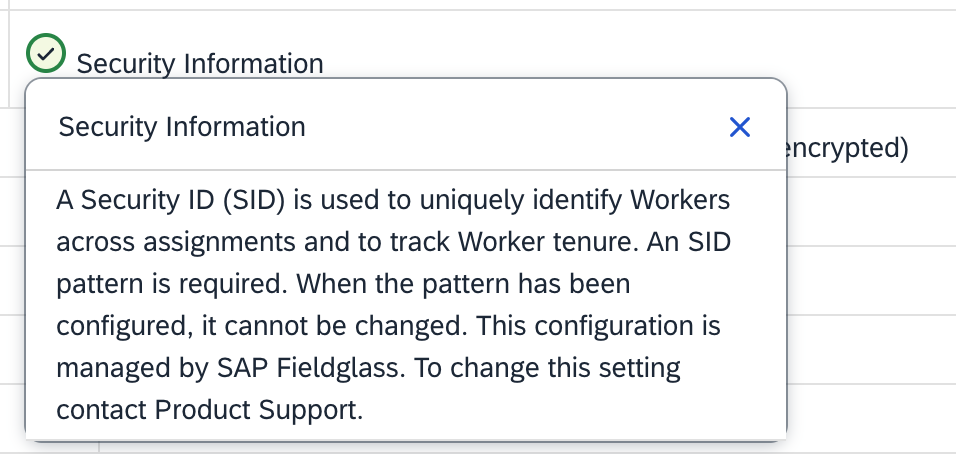
Security ID (SID):
SID allows you to assign a unique identifier to a worker that remains consistent across all engagements, even if they are hired multiple times as an external worker. Each Worker ID will vary by assignment, but the SID will always link to the same individual.
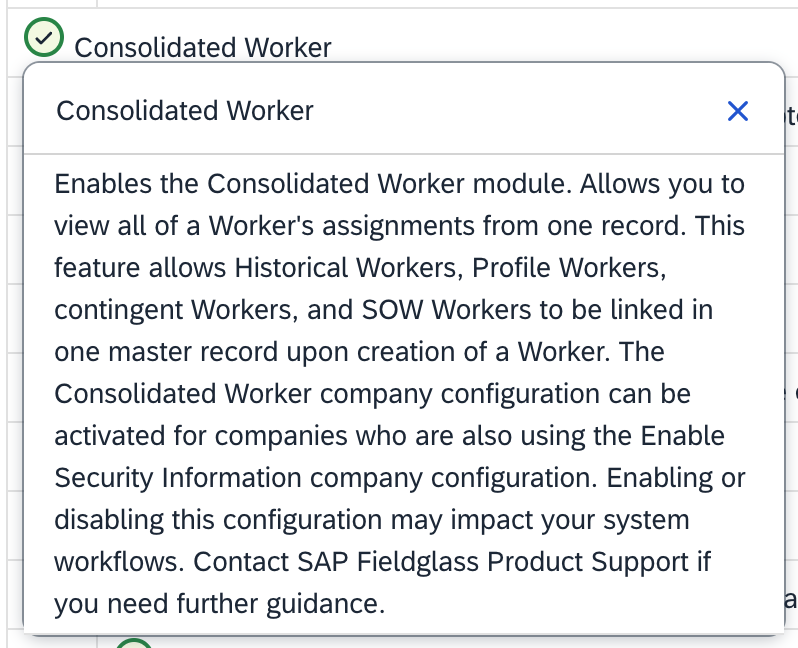
Consolidated Worker (CW) Module:
This module consolidates all assignments under the same SID, providing visibility into a worker’s history. For example, if a worker is hired as a contingent employee and later provides services via a different supplier in an SOW, these assignments will be grouped under the same CW ID.
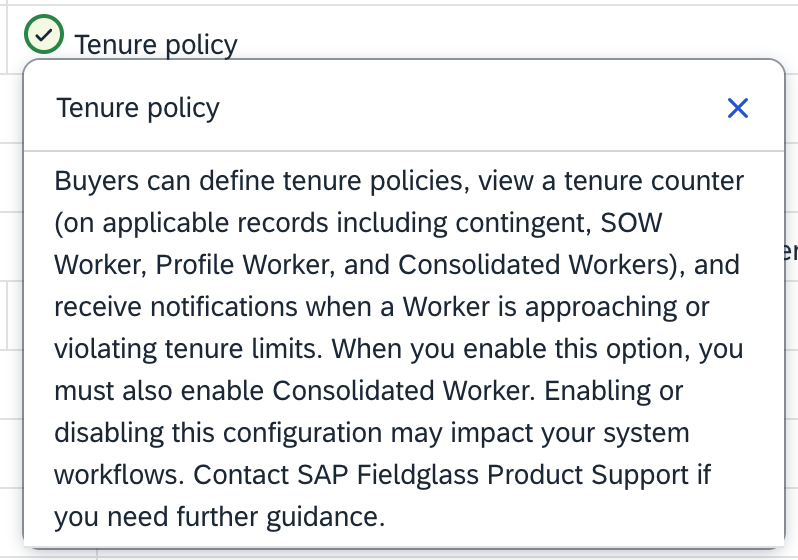
Tenure Policy:
Once these two components are in place, you can enable Tenure Policy, which introduces custom lookups to define the rules and parameters for tenure tracking.
Tenure Policy Configuration
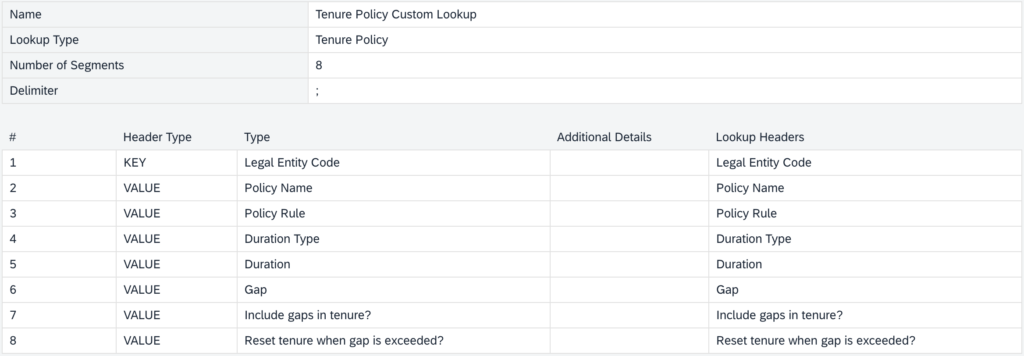
The first step in implementing a Tenure Policy is to create a custom lookup of type “Tenure Policy”. In this lookup, the header type “KEY” is used to define the parameters for applying tenure
Below, I’ve outlined an example with fields that I consider relevant for configuring a Tenure Policy. However, there are numerous other possibilities that can be tailored to specific business needs.
In the example, the “Legal Entity Code” is set as the header type “KEY”, which means that a distinct policy will be applied for each legal entity. Meanwhile, the header type “VALUE” is used to define the specific characteristics of the tenure.

Fields Explanation:
- Legal Entity Code: Determines the specific entity for which the policy will apply.
- Policy Name: Provides a name for the rule, used for identification.
- Policy Rule: Defines how tenure will be calculated.
- Duration Type: Specifies the unit of measurement for tenure (e.g., days).
- Duration: Sets the maximum duration allowed for an assignment.
- Gap: Indicates the minimum time between assignments required to reset tenure.
- Include Gaps in Tenure: Determines if gaps should count towards tenure.
- Reset Tenure When Gap Is Exceeded?: Specifies if tenure resets when a worker’s gap exceeds the defined threshold.
Next, create another custom lookup with type “Tenure Warning & Notifications”, to set thresholds and customize the messages that will alert users when workers approach tenure limits.
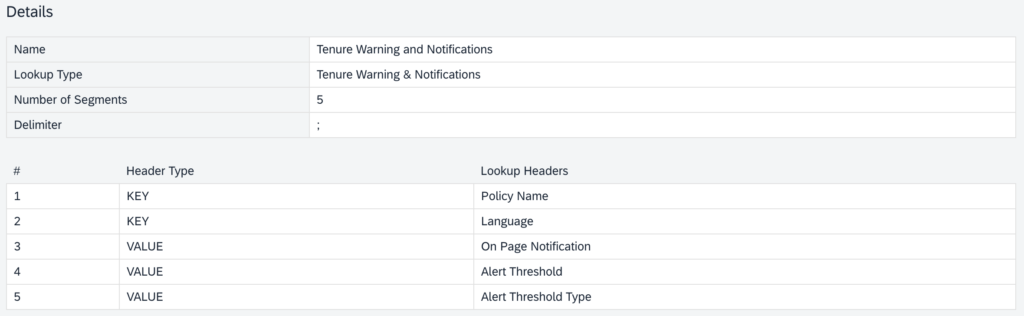

To keep this article concise, I recommend referring to the Official SAP Documentation for a more in-depth exploration of this topic.
Once Implemented…
The Consolidated Worker Module brings visibility into all assignments associated with a worker. For example, you can view an ongoing assignment alongside a completed one. The GAP column will display the number of days between assignments, allowing you to track compliance.
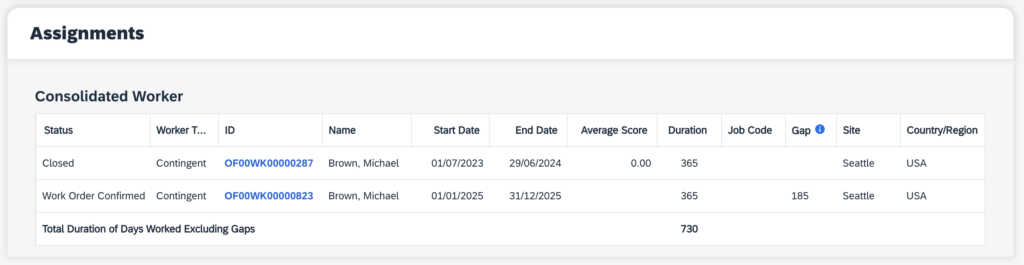
This information is also accessible on the worker’s page under the “Tenure” section. If the gap exceeds the defined threshold (e.g., 180 days), the system will reset tenure, ensuring compliance with the policy.
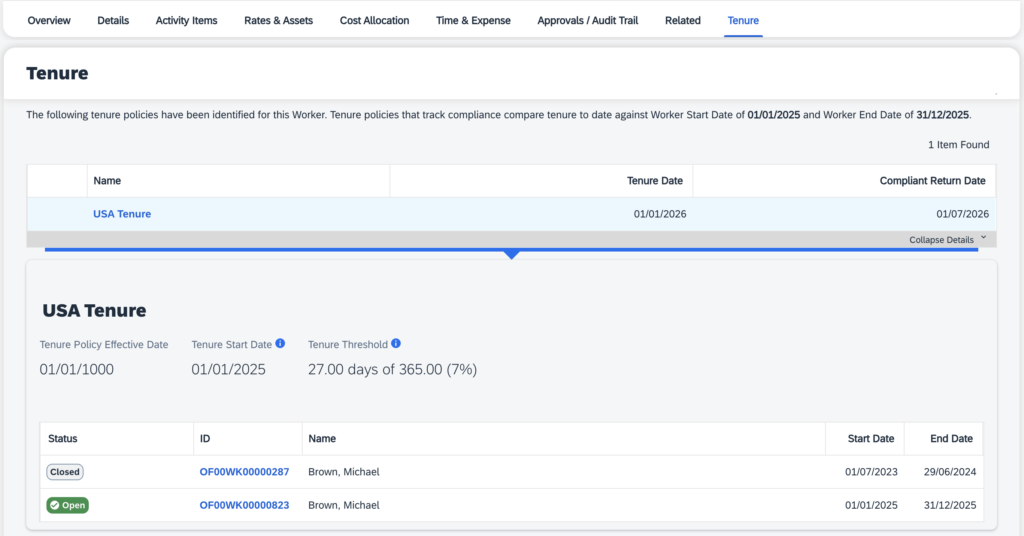
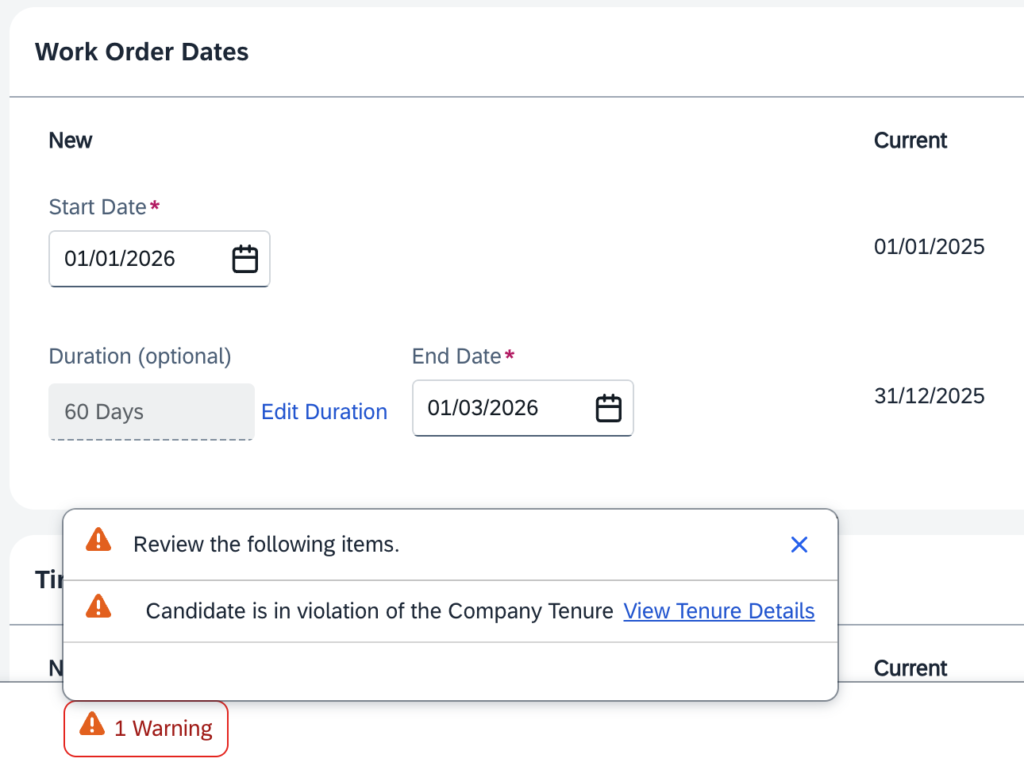
Additionaly the system provides two additional ways to track Tenure visibility. First, you can create a report that includes Tenure Days of each active worker for ongoing monitoring. Second, whenever an action in the system would cause a worker to violate the Tenure policy, a warning message—configured in the “Tenure Warning & Notifications” custom lookup—will alert the user.
Below, we see an example where our worker is extended for another year, resulting in a violation of the Tenure Policy. The system displays a popup notification, allowing the user to either acknowledge the warning or ignore it and proceed. This popup will appear for all approvers throughout the approval flow until the process is completed.
Important Considerations
When configuring tenure policies, keep the following in mind:
- Data Retention:
Align tenure policies with your company’s Personally Identifiable Information (PII) thresholds. Conflicting durations could lead to the erasure of necessary records for tenure tracking. - Flexibility and Decision-Making:
The Tenure Policy functionality does not block non-compliant contracts or extensions. Instead, it provides visibility and guidance, supporting informed decision-making while maintaining process flexibility.
Conclusion
Tenure Policy is a powerful feature for managing compliance and optmize workforce strategies. By consolidating worker assignments, tracking gaps, and providing visibility, it helps companies to find the right balance between flexibility and regulation.