

When we talk about pick lists, there’s really no mystery. We’re simply talking about a list of values that a custom field can use to limit and standardize the data captured in that field. Simple, right?
But here’s the catch: not all pick lists are created equal. There are different types, each designed for specific purposes. And if you don’t clearly understand the difference between them, you might end up making the wrong decision when designing your solution.
If that sounds like you, don’t worry — I’ve got you. In this article, I’ll walk you through everything you need to know, in a clear and practical way, so you can make the right architectural choices with confidence.
Pick List Types
When we create a custom field, one of the most important settings we have to define is the Data Type. And here’s where things start to get interesting.
Among the available data types, you’ll find four different pick list options — and yes, they are not the same thing.
Each one serves a specific purpose, behaves differently, and can impact how flexible (or rigid) your configuration will be down the road.
So let’s break them down one by one and understand what each type is really meant for — and when you should use it.
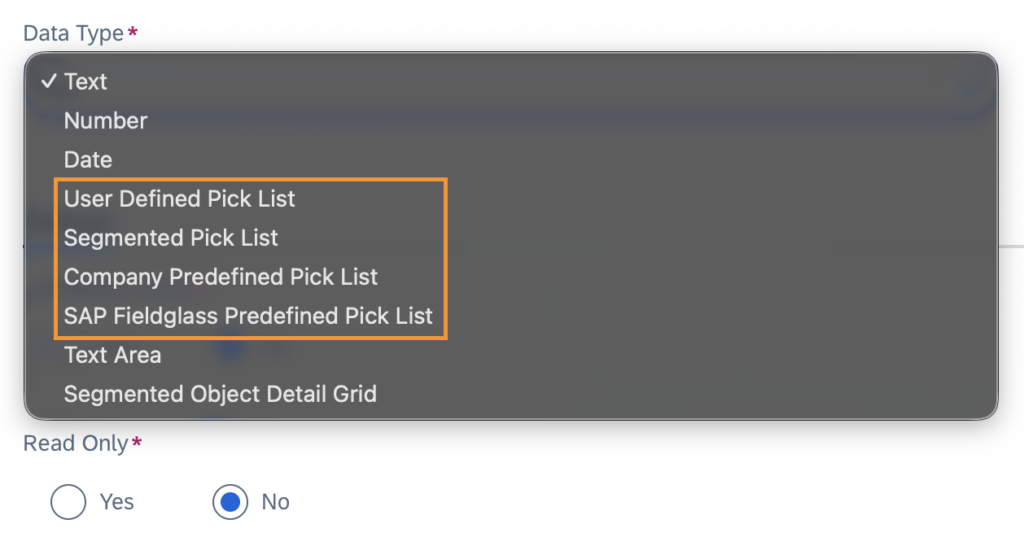
User Defined Pick List
This is the simplest type of pick list available. It doesn’t require a previously created pick list in the system.
When you select this option as the Data Type, the Pick List Items section automatically appears, and you define the values right there during the custom field creation.
In other words, the list lives inside the field itself.
It’s straightforward, quick to configure, and perfect for simple use cases.
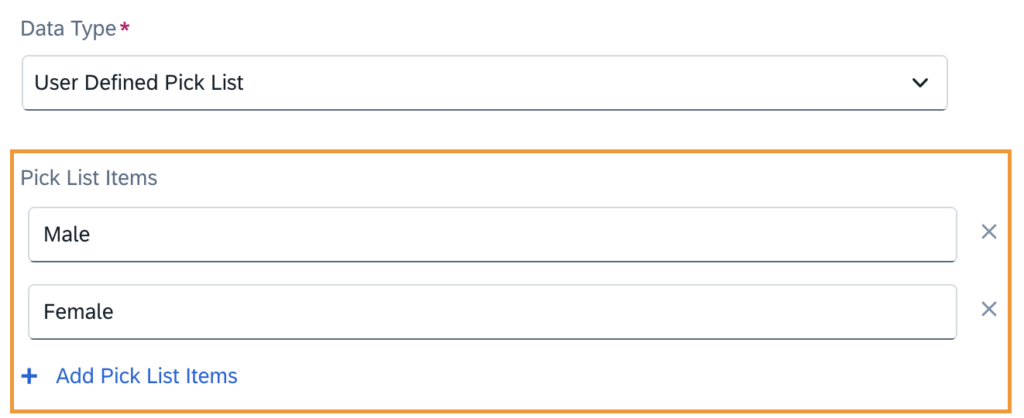
That said, I honestly only see a real advantage in scenarios where:
- You need very few options – as the example above – where only the gender types are captured
- The values are stable
- You’re confident they won’t need to change over time
Because once you start thinking about scalability, reuse across modules, governance, or long-term maintenance… this type can quickly become limiting.
It’s great for simplicity — just don’t use it where you might later need flexibility.
Company Predefined Pick List
This is, by far, the most commonly used type.
Unlike the User Defined Pick List, this one must already exist in the system before you create the custom field. These pick lists are created by the buyer based on business requirements and are meant to be reusable and centrally governed.
When you select this option as the Data Type, all existing eligible pick lists become available for selection.
And here’s an important detail that many people overlook:
When creating a pick list in the system, you must define its Pick List Type. Not all pick list types are valid for the Company Predefined Pick List data type.
Only the following types are considered:
- Custom Field Pick List
- Custom Field Source
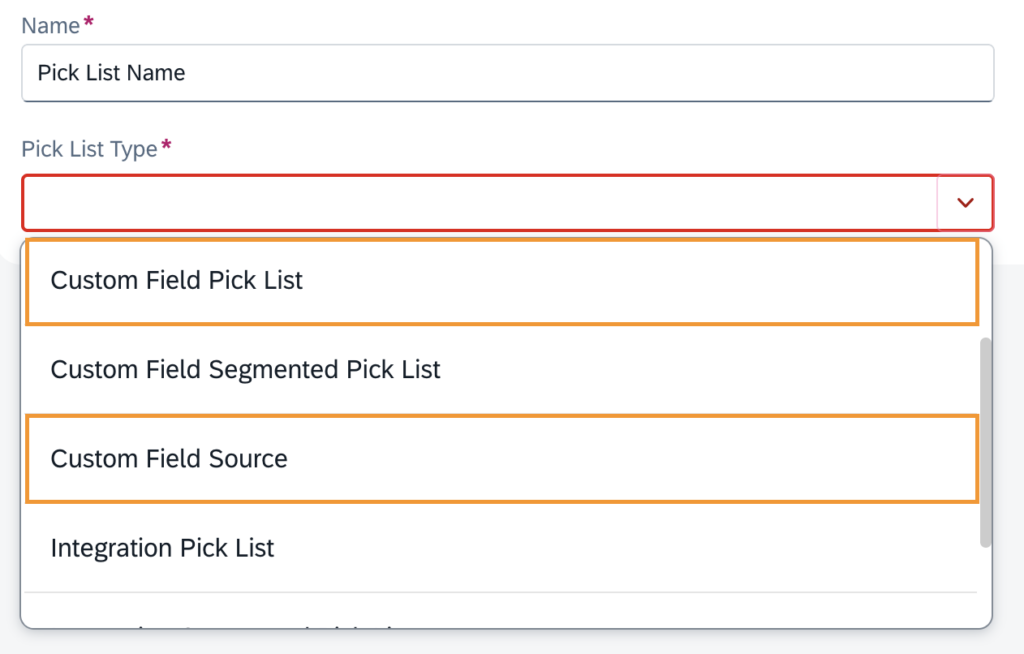
If the pick list was created under a different type, it simply won’t appear when you try to use it in a custom field.
This is one of those small configuration details that can cause big confusion if you don’t know what’s happening behind the scenes.
Custom Field Pick List
This type is conceptually similar to the User Defined Pick List we configure directly inside a custom field. The big difference? Scale and maintainability.
Here, the pick list exists independently in the system and can be updated using a specific connector. That means you can upload hundreds — or even thousands — of entries via a CSV file.
And that changes everything.
Instead of manually maintaining values one by one, you can:
- Bulk load entries when you need to store a large number of options
- Update values through integration to keep the list synchronized with external systems
- Manage large datasets efficiently
In short, if you’re dealing with high volume or dynamic data, this is usually the smartest and most scalable choice.
From an architectural perspective, this is usually the safest and most scalable option. It promotes reuse, governance, and centralized maintenance — which becomes crucial in larger implementations.
Custom Field Source
For some reason, you need a pick list that contains all active users in the system.
Your first thought might be:
“Okay, I’ll extract the users, upload them into a pick list, and then keep updating that list almost daily.”
Sounds logical, right?
Wrong.
That’s exactly where Custom Field Source comes in.
With this type, you can create pick lists that are directly based on system data. Instead of manually maintaining values, the list dynamically reflects what already exists in the system — always up to date.
So instead of uploading users every day, the pick list automatically pulls active users from the system.
And users are just one example.
Other common sources include:
- Active Cost Centers
- Business Units
- Task Codes
- System users
- And other native objects
From an architectural standpoint, this is extremely powerful. It eliminates manual maintenance, reduces integration overhead, and ensures data consistency because the list is always aligned with real system data.
If your requirement is based on system-driven data, this is almost always the cleanest and most elegant solution.
Segmented Pick List
When your data starts getting more structured — and a simple flat list just isn’t enough — that’s where Segmented Pick Lists come into play.
Think of them as intelligent, multi-level pick lists. Instead of offering one long list of unrelated values, they allow you to define valid combinations of related data, ensuring users can only select combinations that actually make sense. It’s configuration-driven logic doing the heavy lifting for you.
Here’s how it works in practice.
Imagine you have two related pieces of information: Region and Finance Contact. With a segmented pick list, the available options in the Finance Contact field depend entirely on what was selected in the Region field.
Let’s say your configuration defines that:
- Magdalena De Leon is the Finance Contact for All US
- Edward Kirk is the Finance Contact for France
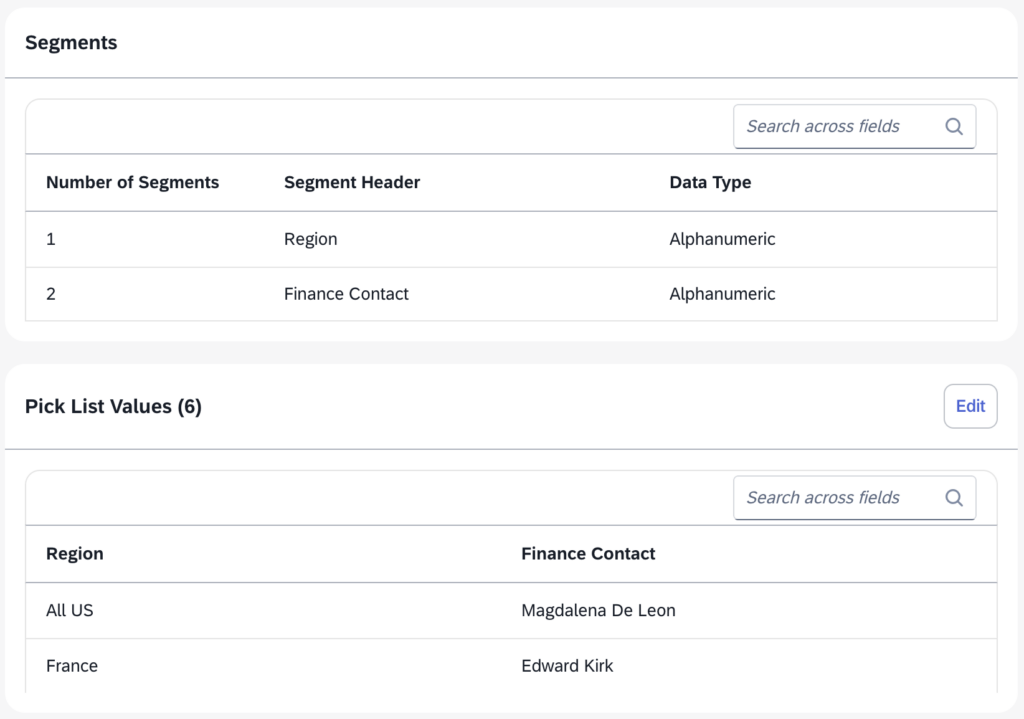
If the user selects All US as the Region, only Magdalena De Leon appears as a valid Finance Contact. If the user selects France, the option automatically changes to Edward Kirk.
No incorrect combinations. No need for manual validation. No user guesswork.
The logic is embedded directly into the pick list structure.
Another very useful feature here is the Autopopulate Segment rule. If, after a selection, only one valid value remains in the next segment, the system can automatically populate it.
SAP Fieldglass Predefined Pick List
When you select the Predefined Pick List type, the system will display all the standard pick lists delivered out-of-the-box by SAP Fieldglass, where we cannot add or modify these lists, being fully managed and maintained by SAP.
A good example is O*NET Code.
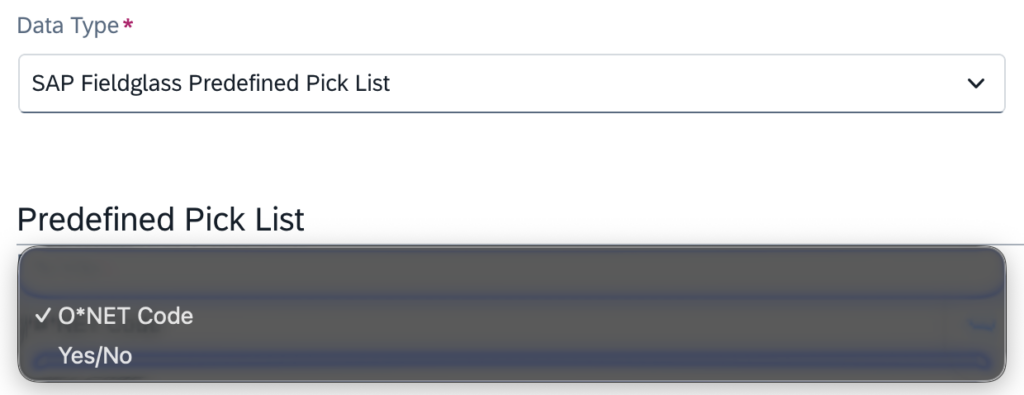
The O*NET Code (Occupational Information Network Code) is a standardized occupational classification system maintained in the United States. It categorizes job roles based on skills, tasks, and industry definitions.
In SAP Fieldglass, it’s typically used in job postings and workforce classification scenarios where standardized occupation mapping is required — especially for reporting, regulatory alignment, or integration with external workforce systems.
Additional Types
Ariba Realm / ANID
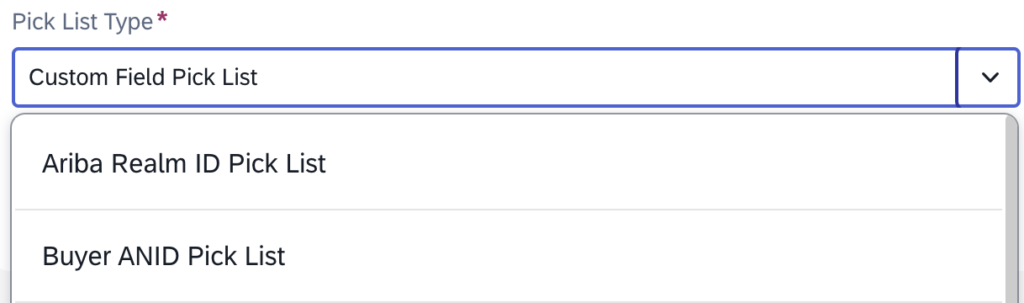
Before you start wondering whether you should be using them in your next custom field — relax. These types are not relevant for day-to-day configuration activities.
They are specifically designed to support integrations between SAP Fieldglass and SAP Ariba.
Here’s what they’re used for:
- Ariba Realm ID → Used to populate the Ariba Realm ID field on a Legal Entity.
- Buyer ANID Pick List → Used to populate the Buyer ANID field on a Legal Entity.
In other words, these lists serve a very specific technical purpose within cross-system integration scenarios.
Unless you are directly involved in a Fieldglass–Ariba integration setup, you typically won’t need to configure or interact with these types.
Think of them as infrastructure-level configuration elements — important for system connectivity, but not part of everyday solution design.ç
Account Category
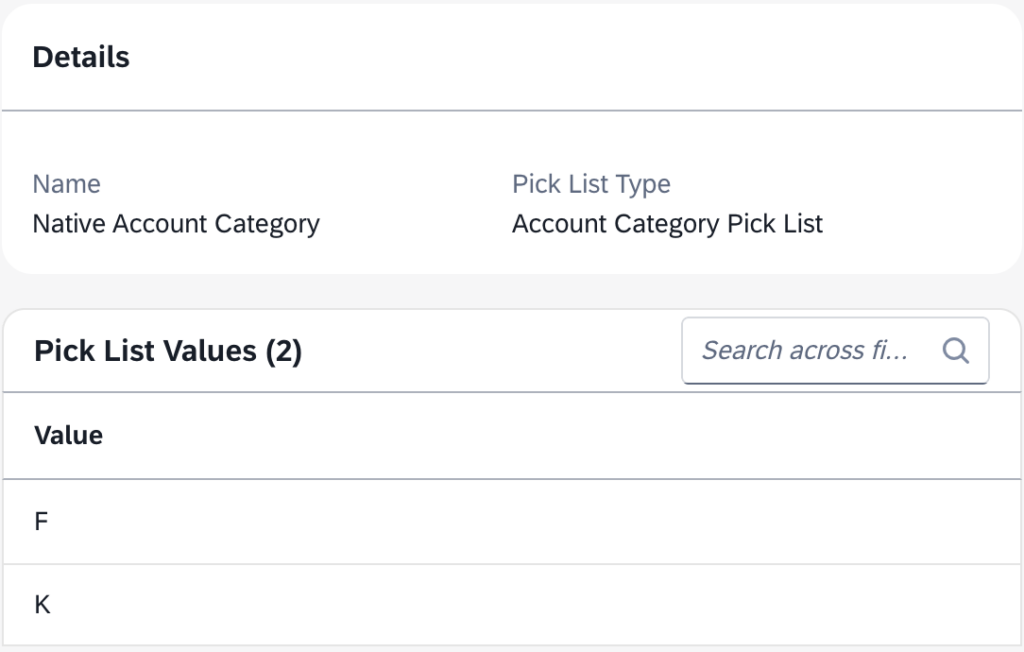
This type is used to populate the Account Category field on a Cost Center allowing to automatically assigns a line item number to each cost center on a Contingent Work Order.
Here’s the key behavior:
- Cost centers that share the same Account Category receive the same line item number.
- The system then groups those cost centers together on the Work Order based on that line item number.
On the Work Order Details page, inside the Accounting section, you’ll see one or more line item numbers displayed — and under each line item, the corresponding list of grouped cost centers.
Why does this matter?
Because this grouping logic allows multiple cost centers to be included on a single invoice, while still maintaining structured accounting control.
So instead of generating separate financial lines unnecessarily, the system intelligently consolidates cost centers based on their Account Category. From a finance and invoicing perspective, this keeps things clean, organized, and easier to reconcile.
Conclusion
Pick lists are a crucial part of system customization.
They might look simple at first glance — just a list of selectable values — but in reality, they play a major role in shaping data quality, governance, user experience, and even integration behavior.
Choosing the right type of pick list directly impacts:
- How scalable your solution will be
- How easy it will be to maintain over time
- How consistent your data remains across modules
- How much manual effort your team will need in the future
From simple User Defined lists to system-driven Custom Field Source options, and even structured Segmented Pick Lists, each type serves a different architectural purpose.
The key takeaway?
Don’t treat pick lists as a minor configuration detail.
Treat them as a design decision.
Because in the end, good configuration isn’t just about making the system work — it’s about making it work cleanly, sustainably, and intelligently.