

A new job opening, a post sent to dozens of suppliers. Within days, a flood of applications arrives—dozens, sometimes even hundreds of profiles filled with personal data: work history, addresses, attached resumes, and more. Yet, only a handful of candidates make it to an interview, and even fewer are actually hired to fill the open positions.
But what happens to the data of all those unselected candidates?
This is a common scenario, and companies must have a recurring process to anonymize this data. Not only is this essential for protecting candidates’ privacy, but it’s also necessary to comply with data protection regulations across different countries.
Do you know how to set up this process in SAP Fieldglass and ensure your clients stay legally compliant? If not, don’t worry—I’ve got you covered! In this post, I’ll walk you through how to streamline this process effortlessly using the right built-in feature.
Personally Identifiable Information
Organizations often have data retention policies that mandate the permanent deletion of any information that could personally identify an individual. To support compliance, the Personally Identifiable Information (PII) feature allows to mark specific records for erasure once a predefined threshold, has been reached.
When enabled, this functionality allows buyers to erase Personally Identifiable Information (PII) from documents stored in the SAP Fieldglass cloud service. This includes data related to job seekers, workers, and resources, as well as attachments containing personal information.
⚠️ Important Note: This anonymization does not occur automatically. Since this process is irreversible, the functionality serves only as a manual tool, allowing users to execute the action when necessary.
Setup Process
Feature Enablement
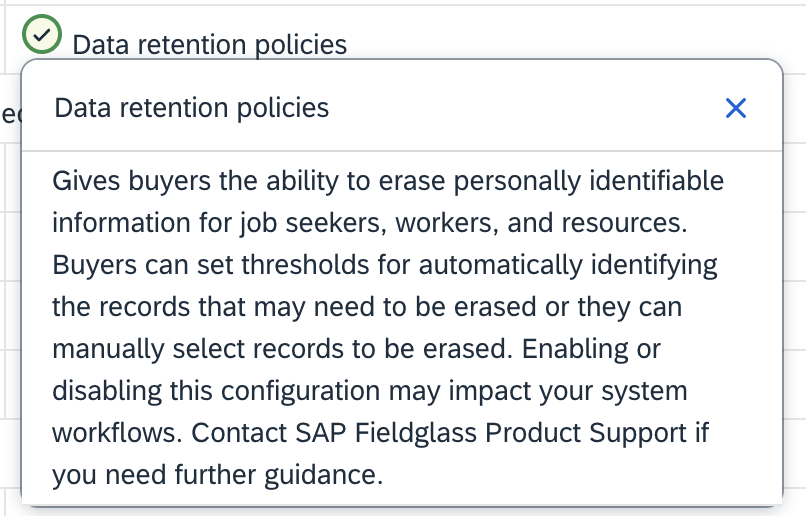
The first step is to activate the functionality in Company Configuration, using the “Data Retention Policies” option.
Custom Lookup
Enabling this feature automatically adds a custom lookup of type “Personally Identifiable Information Thresholds”, where we define the structure and set the criteria for determining when a record becomes eligible for the data retention process.
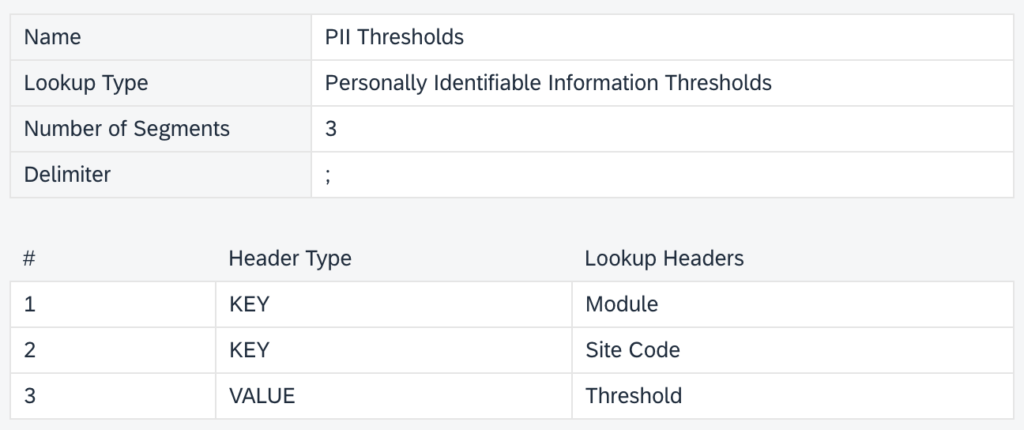
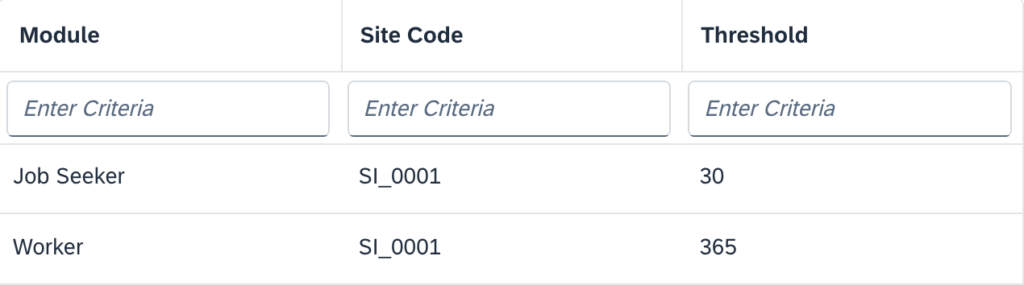
Within this custom lookup, we can configure different thresholds based on sites and modules, allowing for a more flexible and customized approach.
User Configuration
Finally, in the User Configuration settings, we must provide access to the “Manage Personally Identifiable Information” permission.
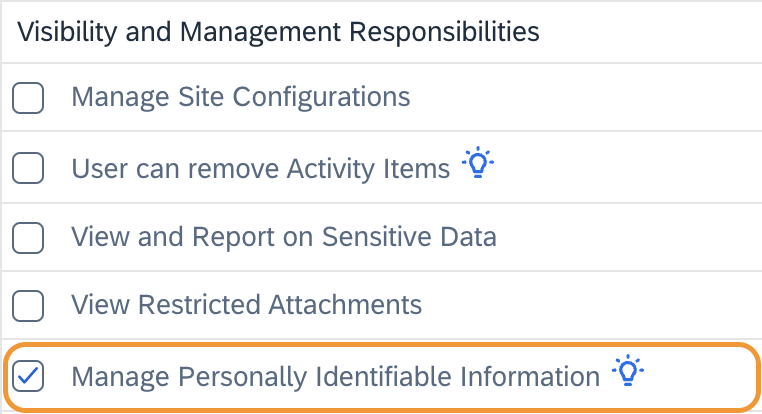
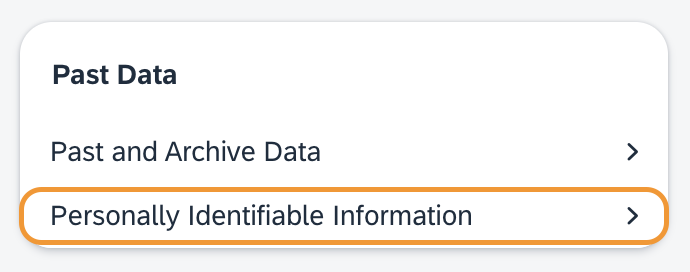
Once all these permissions are set, the user will have access to the PII admin object under the “Past Data” section.
Custom Fields
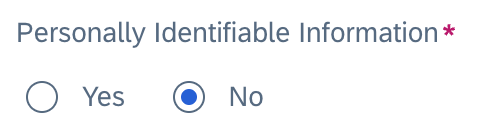
In addition to the standard system fields that will be masked, it is also possible to designate custom fields for anonymization.
For example, if a custom field is created to capture a worker’s citizenship, it can be marked as a PII Field during its configuration. As a result, it will be treated in the same way as standard fields, ensuring it is included in the anonymization process.
How does it works?
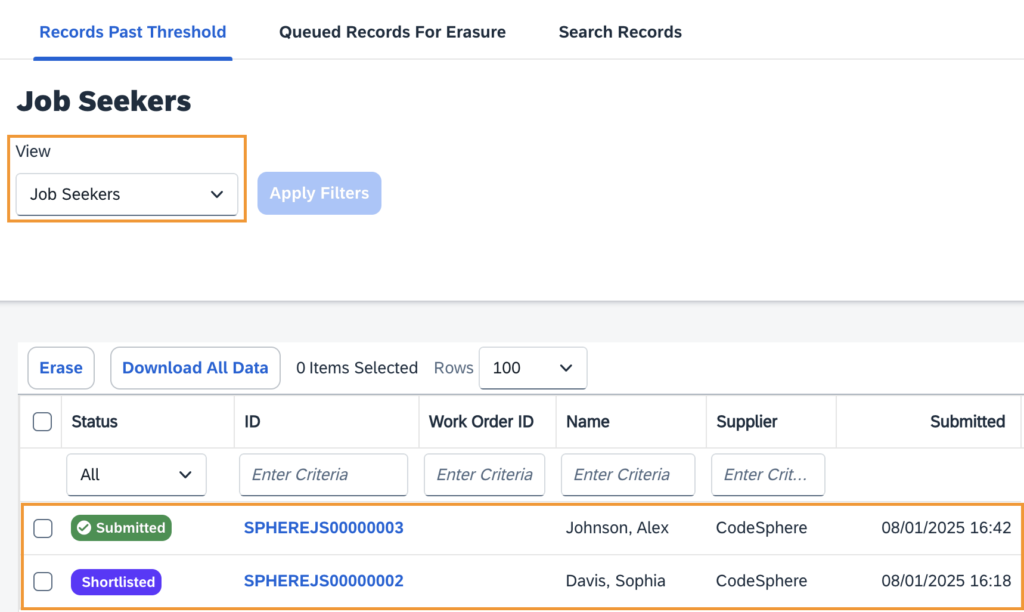
Accessing the admin object “Personally Identifiable Information”, we will land in the “Records Past Data” where through the “View” filter, we can select the module we want to check the list of records that reached the threshold set in the custom lookup.
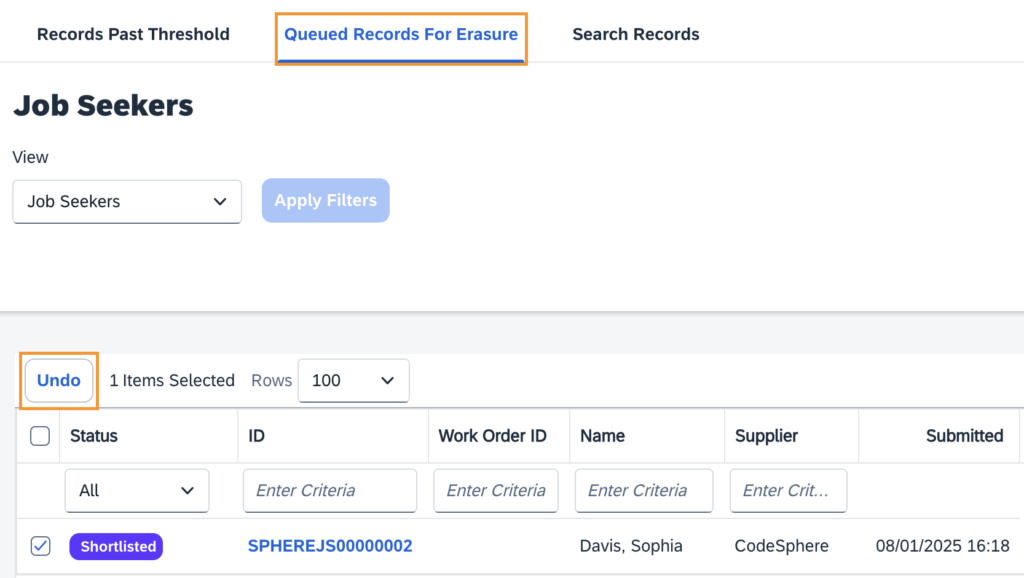
After selecting one or more entries to be anonymized, this process takes 14 days, and during its possible to access the section “Queued Records for Erasure” check the pending items and undo the proccess.
But what if a worker or candidate requests the immediate removal of their data, long before reaching the defined threshold?
For these cases, the “Search Records” tab allows users to search for specific worker IDs and manually trigger the anonymization process. However, bulk selection is not possible, meaning each record must be processed individually.
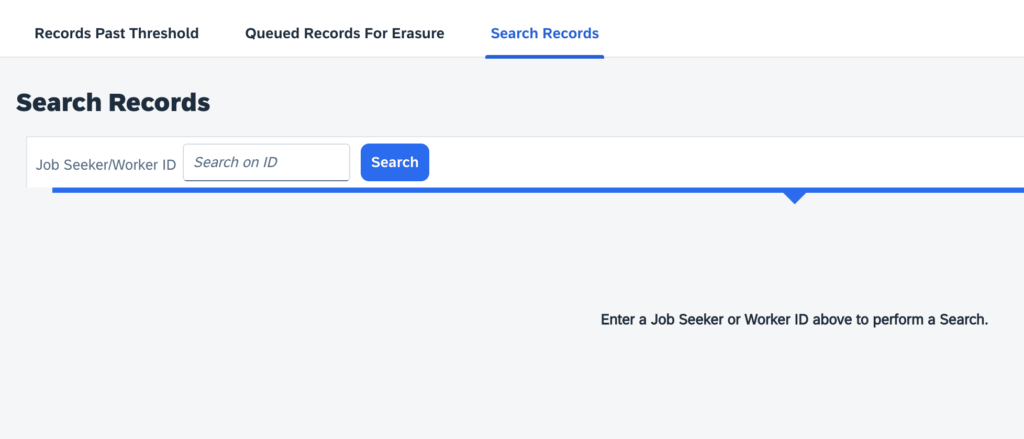
Because this tool grants users significant control, access should be assigned individually to specific users rather than at the user role level. This ensures that only authorized individuals can perform actions within the functionality, maintaining security and compliance.
Once Erased…Erased? Not exactly.
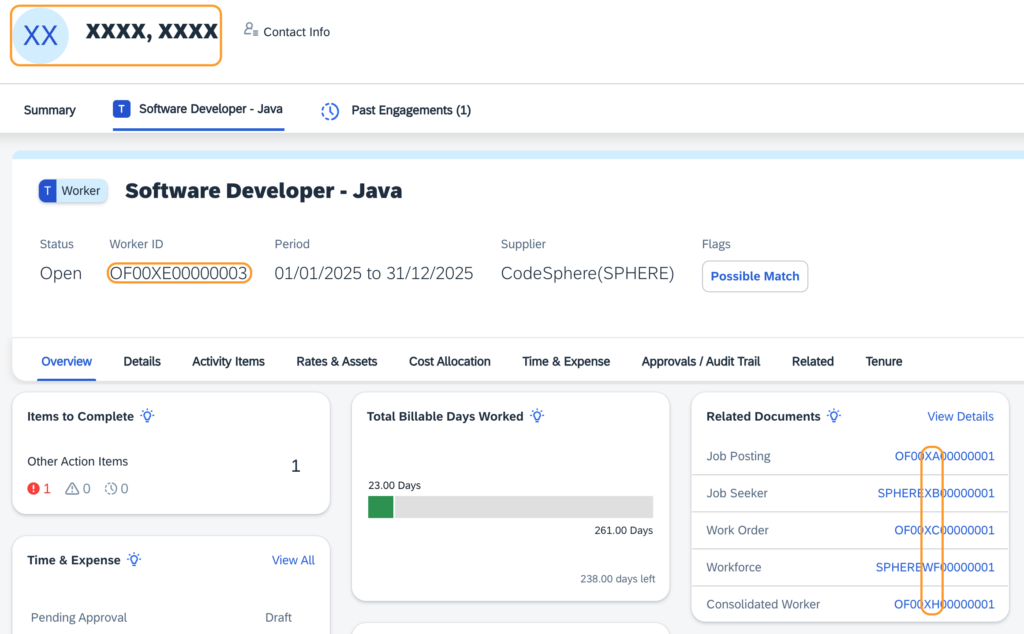
Although the action buttons say “erase”, what actually happens is a replacement of values, not a complete deletion. Objects such as requests, candidates, work orders, workers, timesheets, and others remain in the system.
This is because these records are part of the company’s data structure and often contain financial information that cannot simply be removed. Instead, this functionality replaces any identifiable information, ensuring that the record can no longer be linked to a specific individual while preserving the integrity of the system.
That’s why I prefer to call this an “Anonymization Process” rather than “erasure”—because the data isn’t truly deleted. Instead, it is modified to remove any personally identifiable information, ensuring compliance while maintaining essential records.

Conclusion
Managing Personally Identifiable Information (PII) is a crucial aspect of compliance and data security in any organization, and SAP Fieldglass provides the necessary tools to ensure that sensitive candidate and worker data is handled responsibly. By implementing the PII anonymization process, companies can maintain compliance with global data protection regulations while preserving the integrity of their business records.
However, it’s important to understand that this is not an automatic process, nor does it involve outright deletion of data. Instead, it allows businesses to replace identifiable information while keeping essential records intact. This balance ensures that organizations can protect privacy, meet legal obligations, and still retain critical operational data.
With the right configuration, access controls, and structured workflows, companies can efficiently manage their data retention policies while minimizing risk. If you haven’t yet implemented this process in SAP Fieldglass, now is the time to ensure that your organization is prepared for the evolving landscape of data privacy and security.